When the GlobalPayment Card Reader is unable to connect, please follow these steps to enter the card in manually on Revolution.
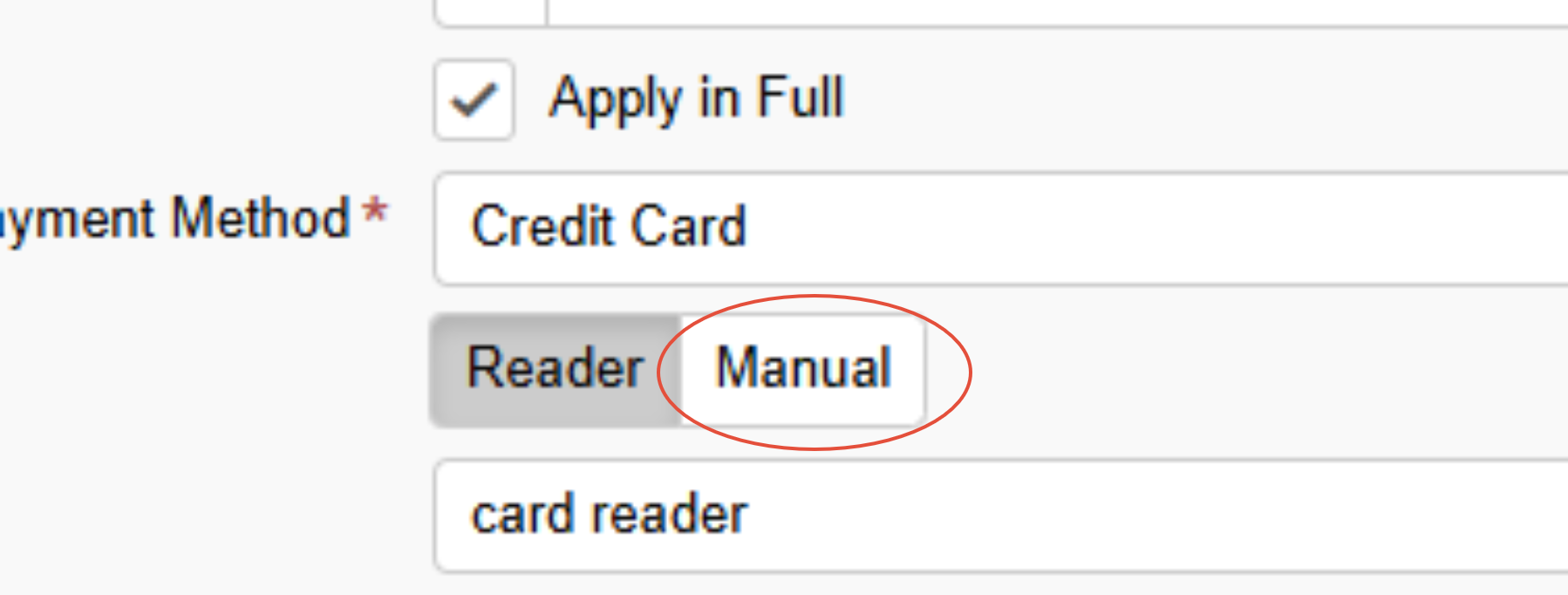
On Revolution process the invoice as normal except after selecting Credit Card, select the Manual option that is located next to Reader Option.
From there, press process payment & receipt on the bottom right of the window and a credit card will prompt on screen. Enter the credit cards 1) Card Number 2) Expiration Date 3) CVV ; then press Process Payment
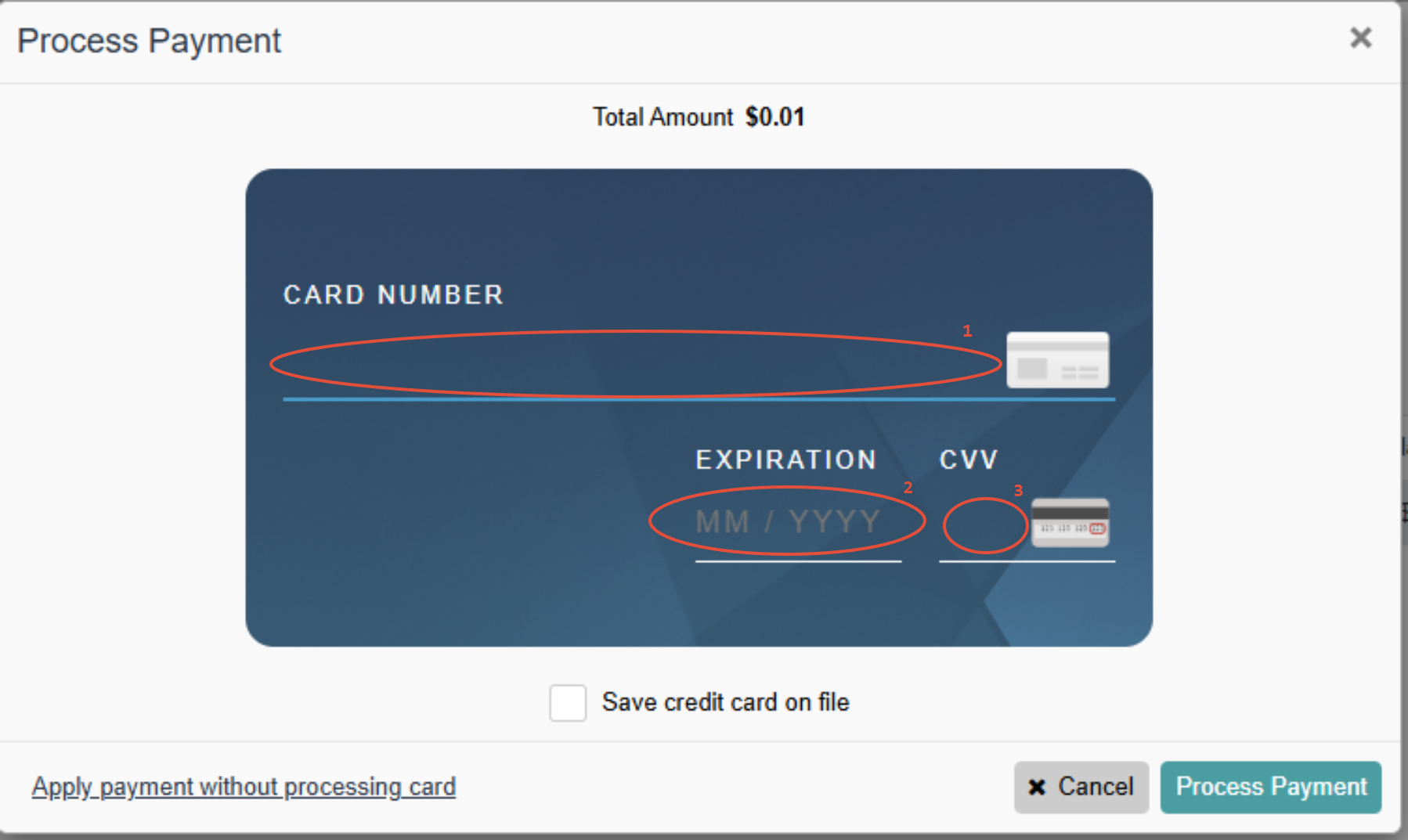
Once entered correctly, the transaction will then load and the payment will process
⭐ Note: If an error appears that says 'Declined' there is an issue with the card and you may try a using a different card.If you have any questions you can email ITSupport@for2020now.com
Article Updated on 12/19/2025

Note: This document and any attached materials (or program, etc.) are confidential and proprietary and constitute the sole property of 20/20 Vision Center, LLC and 20/20NOW Eye Exams, PC.. This document and any attached materials (or program, etc.) are intended solely for the recipient and no portion thereof may be reproduced, forwarded, distributed, or otherwise disclosed in any manner to any third party without the express prior written consent of 20/20 Vision Center, LLC and 20/20NOW Eye Exams, PC. © 2017 by 20/20 Vision Center, LLC. All rights reserved.
Was this article helpful?
That’s Great!
Thank you for your feedback
Sorry! We couldn't be helpful
Thank you for your feedback
Feedback sent
We appreciate your effort and will try to fix the article