A bug exists with Eyelogic and most phoropters (except for the rarely-used Huvitz HDR-5000):
Scenario: A patient has a significant amount of CYL:
When you switch to the Near Vision Test/ADD screen, the patient can no longer see the chart ("it's blurry"/"I just see white").
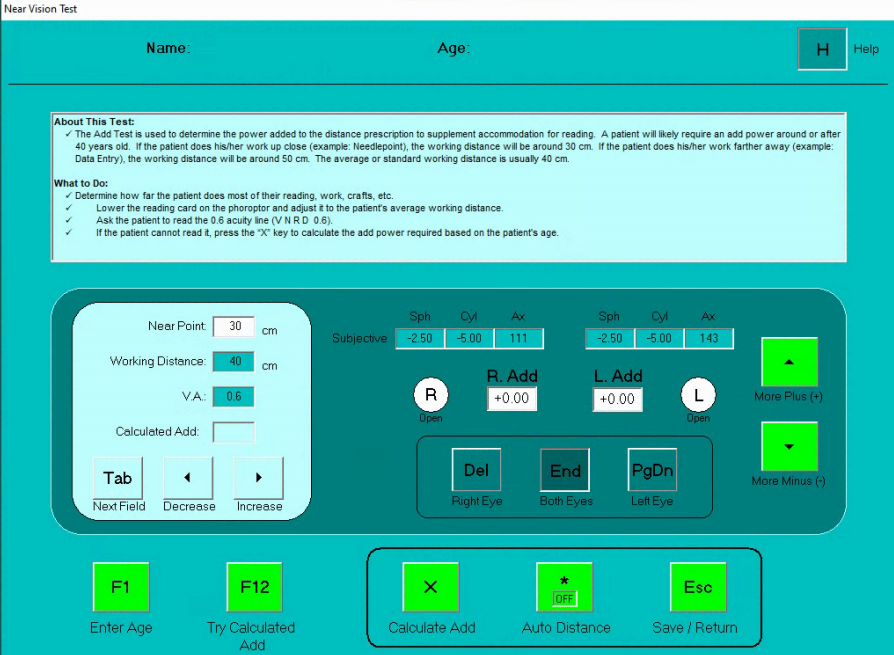
The reason why: Eyelogic is removing all the CYL in the phoropter. Even though it is displayed on the user interface, the lenses are not actually loaded.
Our workaround:
Have the onsite technician turn on the room lights (with the light switch on the wall) and test ADD by adding additional sphere power on the final Rx screen.
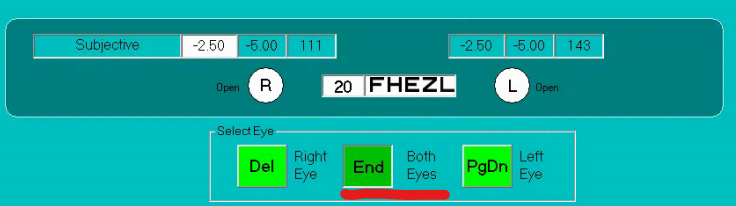
Enter Both Eyes mode and then adjust individually. (Make sure room or overhead lights are on, because the phoropter isn’t going to turn on the near lights for this.)
Example: for this patient, if you want to test out a +2.00 ADD, you will adjust the Rx to match this (-2.50 +2.00 = -0.50):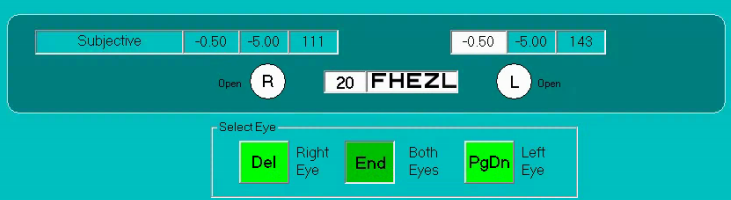
When you find something the patient likes, write it down/take a screenshot, return the Rx to normal, and return to the ADD screen to enter the ADD.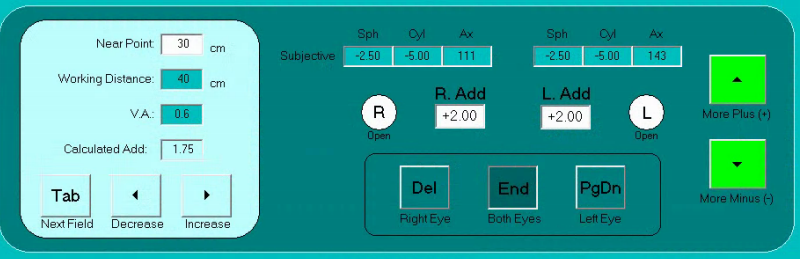
This will yield a correct final Rx.
You may then export the result as normal.
Was this article helpful?
That’s Great!
Thank you for your feedback
Sorry! We couldn't be helpful
Thank you for your feedback
Feedback sent
We appreciate your effort and will try to fix the article